
Quick phrases
Start with quick phrases and organize frequently used items according to actual work needs.

Every product detail, design and button is crafted with the user experience in mind

Don't see the app you need? Contact us to help adapt it for you

Supports multiple users on one account with cloud data sync
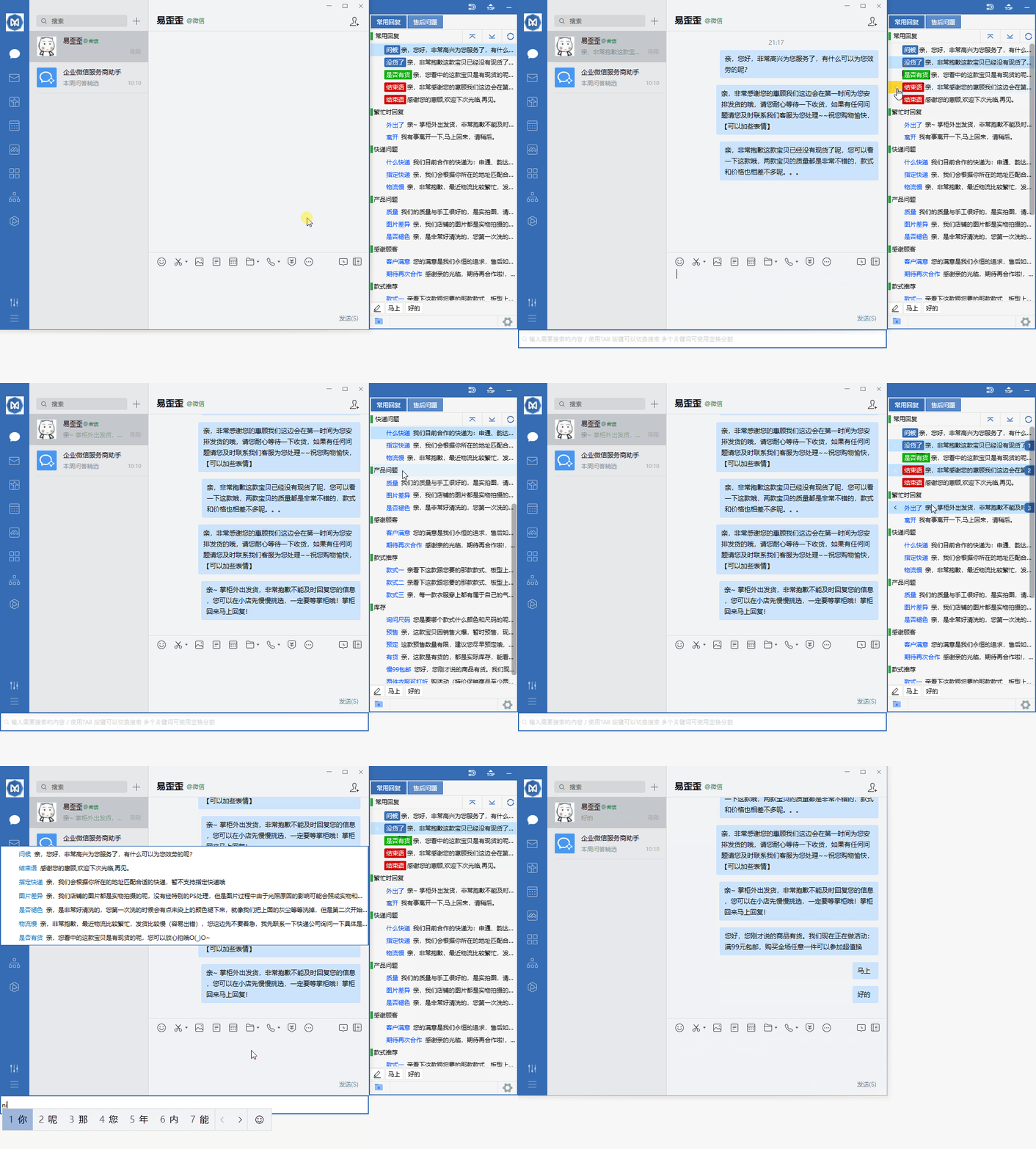
Organize daily customer service communication with reply categories, quick input and team sync.
Start with quick phrases and organize frequently used items according to actual work needs.
Combine data grouping with team sync to keep daily operations clearly organized.
Use desktop communication in a familiar interface and adjust your own settings as needed.
View options related to quick phrases, and confirm device and version information before getting started.
Select your device system in the download center and view the corresponding version name.
Open the installation file and follow the on-screen setup instructions on your device.
Yiwaiwai focuses on a seamless experience in daily use. Whether you prefer handling tasks on a computer or checking progress on your phone, it strives to make switching more natural and operations more direct. There are no complicated settings piled up here—only clear entry points and stable feedback, helping you keep your attention on what you are doing.
Commonly used entries are placed in prominent positions to reduce repeated searching, ideal for users who need to switch tools frequently.
Only essential reminders are kept, without interrupting your current task, so you can maintain a steadier rhythm during long sessions.
Desktop and mobile maintain similar interaction logic, so you don't need to re-adapt when switching devices, lowering the barrier to use.
First confirm that your device's system version meets the requirements, then follow the on-page guidance to complete basic setup. It is recommended to start with default options, familiarize yourself with the main entry points, and then adjust display and notification settings according to personal habits.
Log in to the same account on multiple devices and keep the app updated to the latest version. Yiwaiwai will try to unify the operation layout and status display, but the specific synchronization effect may be affected by the network and device permissions.